

AI智能摘要
本文用 Authentik 搭配NGINX,完整演示从 Proxy Provider 创建、应用绑定到嵌入式 Outpost 配置,再到 NGINX 中写入 base64 授权头的每一步,让你实现一次点击即登录的单点认证,告别密码填充烦恼。
— AI 生成的文章内容摘要
前言
由于 FRP Panel 使用的是 Basic Auth 来鉴权,然后 Bitwarden 无法自动填充密码,自己输感觉很麻烦,就想着能不能接入 Authentik 来实现无感认证(结果折腾的时间够我输一万次了bushi)
Authentik 端配置
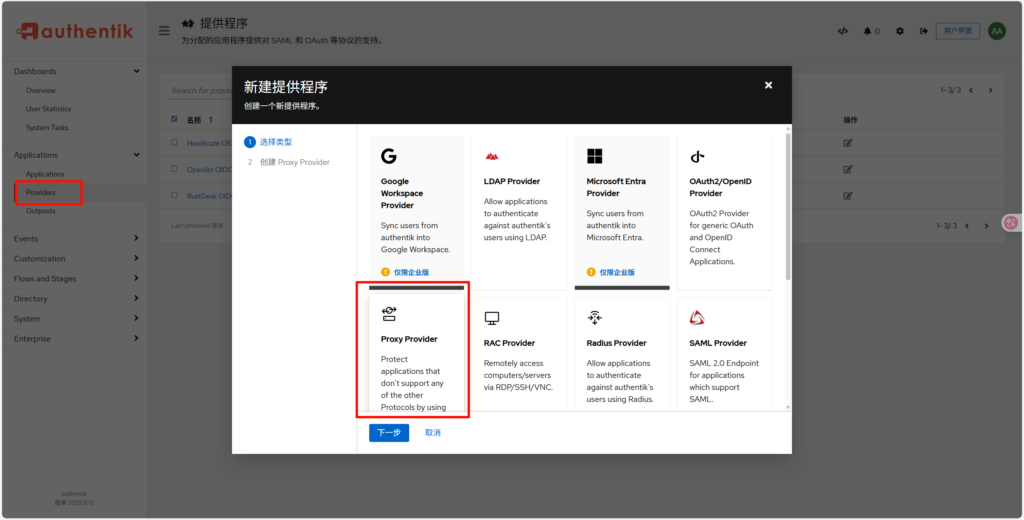
首先先在 Providers 处添加一个 Proxy Provider
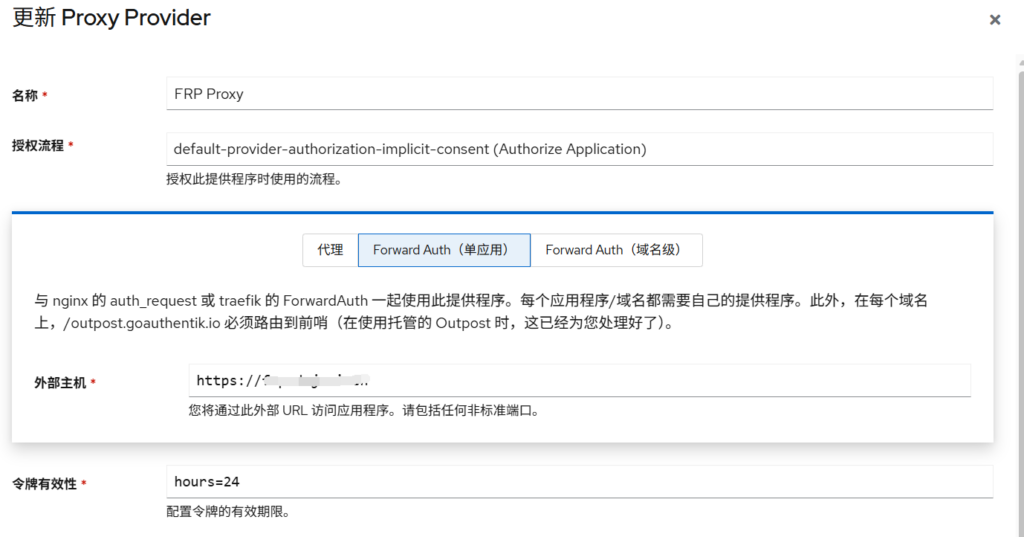
- 名称 FRP Proxy
- 授权流程 default-provider-authorization-implicit-consent (Authorize Application)
- 外部主机(你的FRP面板地址) https://frp.example.com
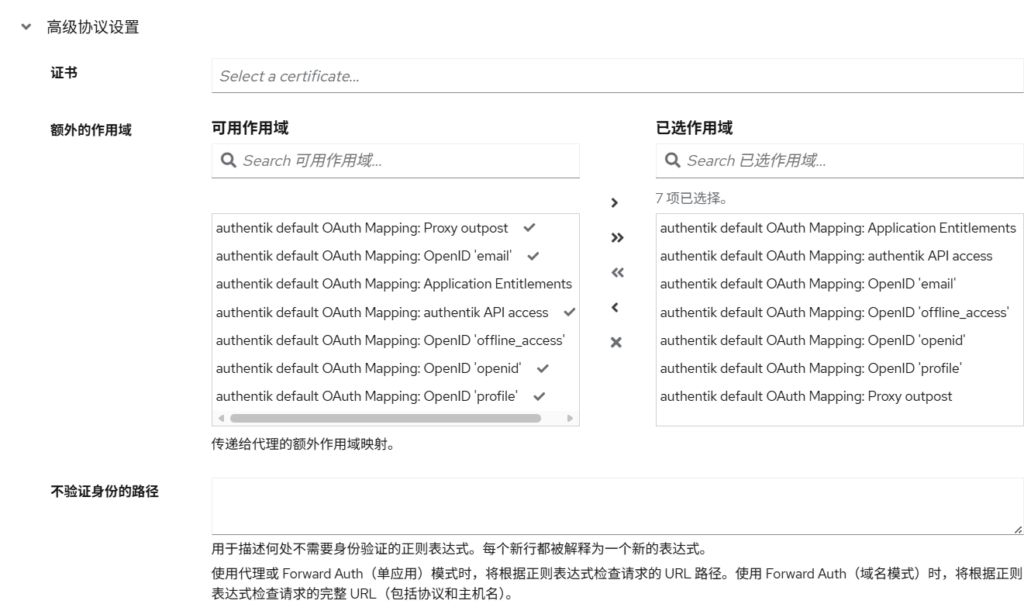
这边可以全选作用域(可能用不上,但是全选总没错)
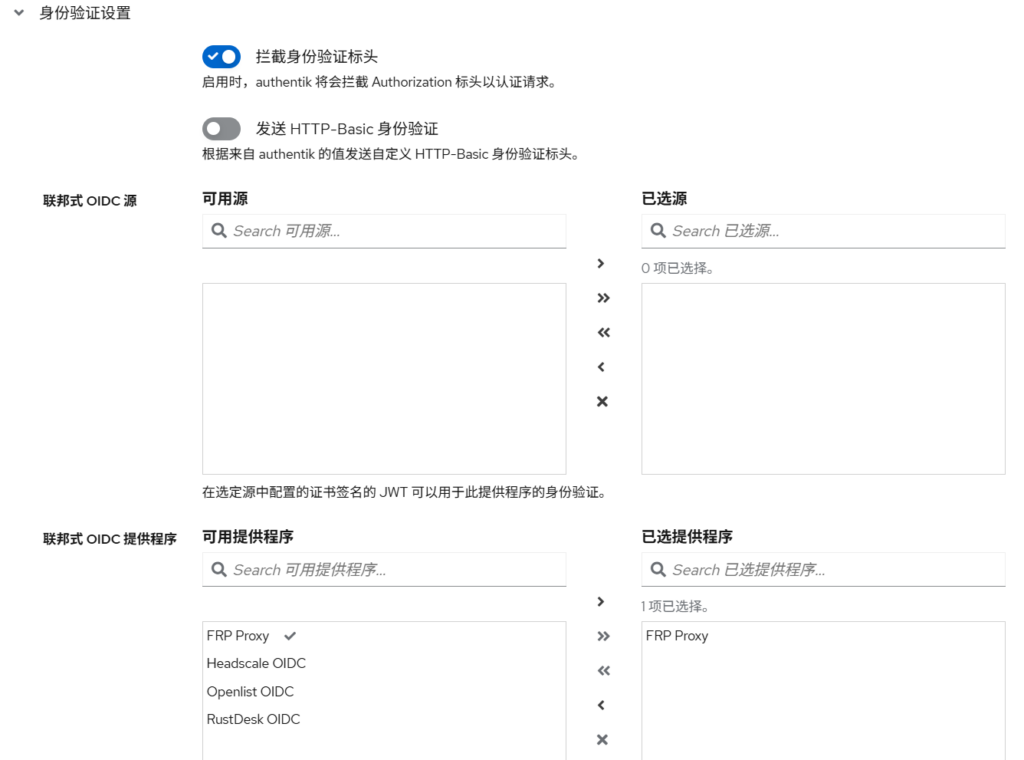
身份验证设置可以保持默认(不要在这边填写 Basic Auth,等会会让 NGINX 处理账户密码这部分,或者你可以试试,反正主播搞不定),联邦式 OIDC 提供程序可以把 FRP Proxy 选上
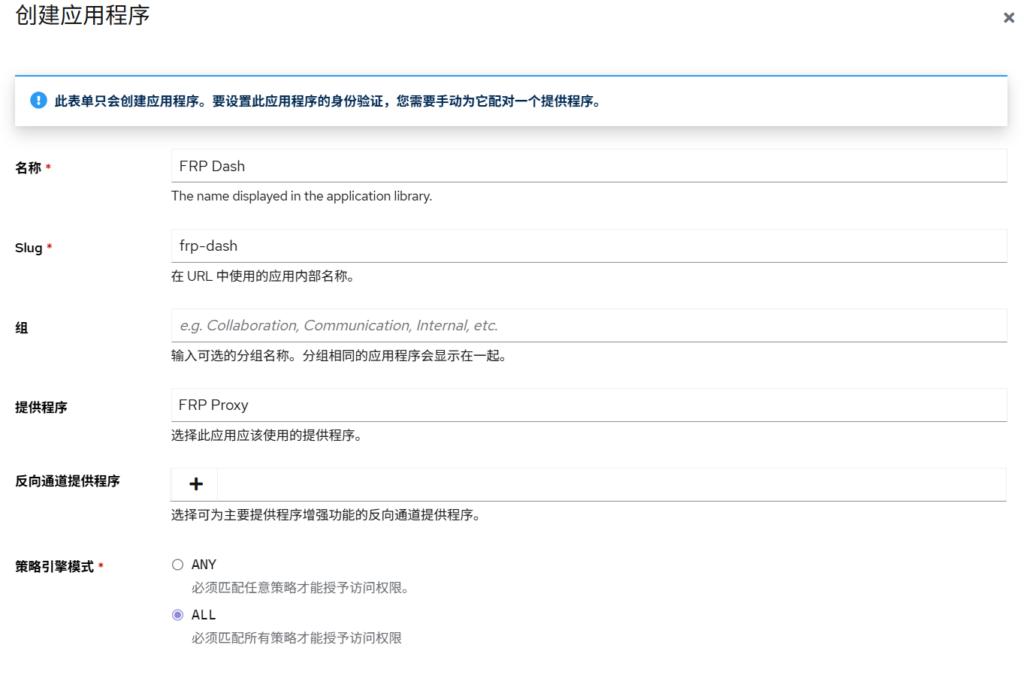
然后在 Application 处创建,名称 FRP Dash,提供程序选择刚刚创建的 FRP Proxy,策略引擎模式选择 ALL
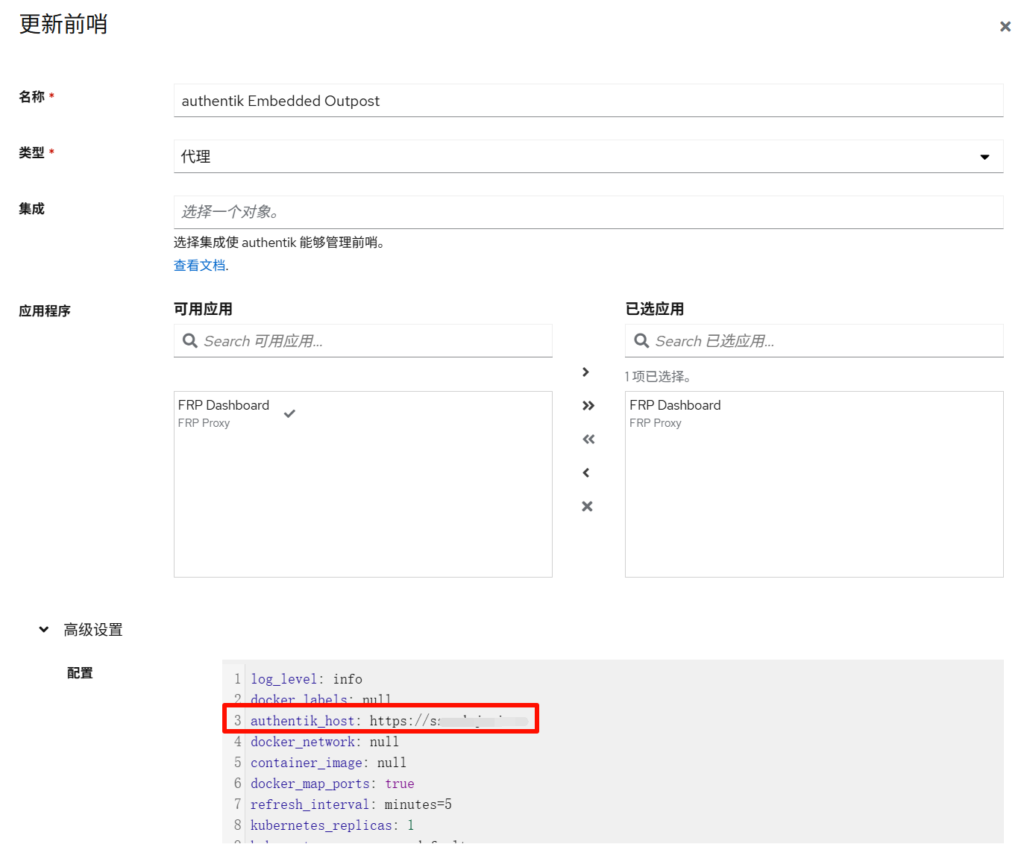
最后在 Outposts 处编辑 authentik Embedded Outpost,把 FRP Dash 选上,还要保证下面的 authentik_host 是外网可访问的地址
NGINX 配置
在终端中输入获取你的账户:密码的 base64 形式,例如这样 5L2g55qE6LSm5oi3OuS9oOeahOWvhueggQ==,然后根据注释修改 NGINX 配置即可
echo -n "你的账户:你的密码" | base64map $http_upgrade $connection_upgrade_keepalive {
default upgrade;
'' '';
}
server {
listen 443 ssl http2;
server_name frp.example.com; # 配置域名
# 配置证书
ssl_certificate /root/.acme.sh/xxx;
ssl_certificate_key /root/.acme.sh/xxx;
proxy_buffer_size 128k;
proxy_buffers 4 256k;
proxy_busy_buffers_size 256k;
location / {
auth_request /authentik-verify;
error_page 401 = @goauthentik_proxy_signin;
# 配置刚刚生成的 base64 密钥
set $fixed_auth "Basic 5L2g6Kej5a+G5LqG5oOz5bmy5ZibT3ZP";
proxy_set_header Authorization $fixed_auth;
auth_request_set $auth_cookie $upstream_http_set_cookie;
add_header Set-Cookie $auth_cookie;
# 这是 FRP Dash 的端口,默认 7500
proxy_pass http://127.0.0.1:7500;
proxy_set_header Host 127.0.0.1;
proxy_set_header X-Real-IP $remote_addr;
proxy_set_header X-Forwarded-For $proxy_add_x_forwarded_for;
proxy_set_header X-Forwarded-Proto $scheme;
}
location = /authentik-verify {
internal;
# 替换你的 Authentik 域名
proxy_pass https://sso.example.com/outpost.goauthentik.io/auth/nginx;
# 替换你的 Authentik 域名
proxy_set_header Host sso.example.com;
proxy_set_header X-Forwarded-Host $http_host;
proxy_set_header X-Original-URL $scheme://$http_host$request_uri;
proxy_pass_request_body off;
proxy_set_header Content-Length "";
}
location /outpost.goauthentik.io {
# 替换你的 Authentik 域名
proxy_pass https://sso.example.com/outpost.goauthentik.io;
# 替换你的 Authentik 域名
proxy_set_header Host sso.example.com;
proxy_set_header X-Forwarded-Host $http_host;
proxy_set_header X-Original-URL $scheme://$http_host$request_uri;
add_header Set-Cookie $auth_cookie;
auth_request_set $auth_cookie $upstream_http_set_cookie;
proxy_pass_request_body off;
proxy_set_header Content-Length "";
}
location @goauthentik_proxy_signin {
internal;
add_header Set-Cookie $auth_cookie;
return 302 /outpost.goauthentik.io/start?rd=$scheme://$http_host$request_uri;
}
}
Comments NOTHING